

Raiffeisen
With AbaNinja, you can set up a permanent bank connection for your Raiffeisen bank account.
Set up connection
Log in to your Raiffeisen E-Banking
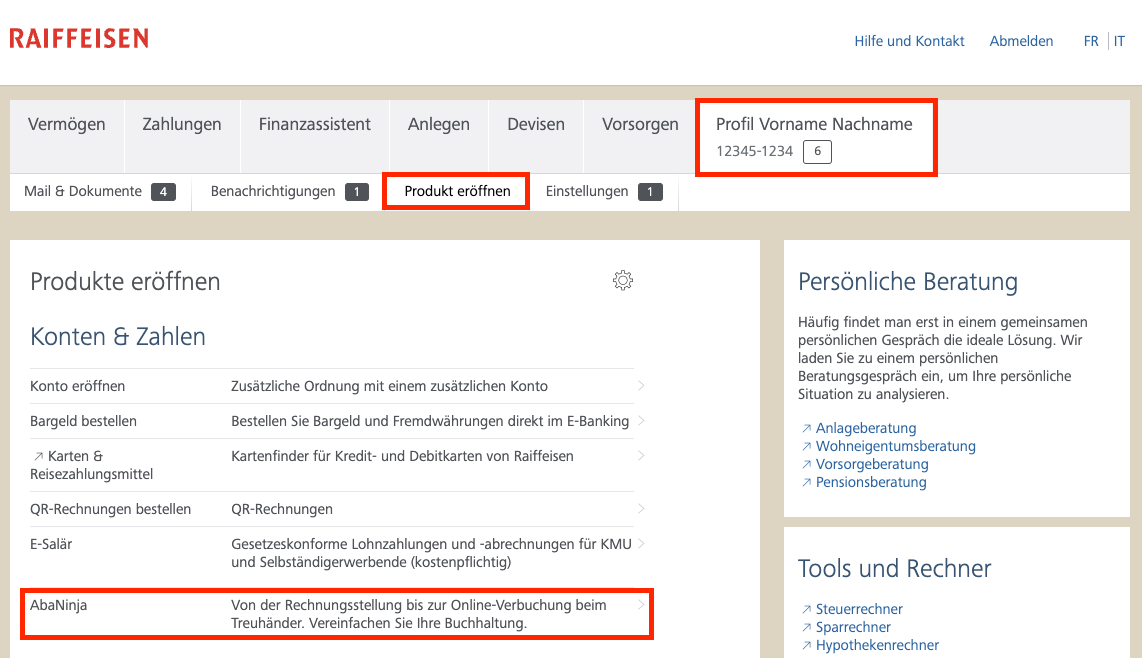
Select the "Profile Firstname Lastname" tab
Navigate to the "Open Product" point
Select the "AbaNinja" point in the "Accounts & Numbers" section
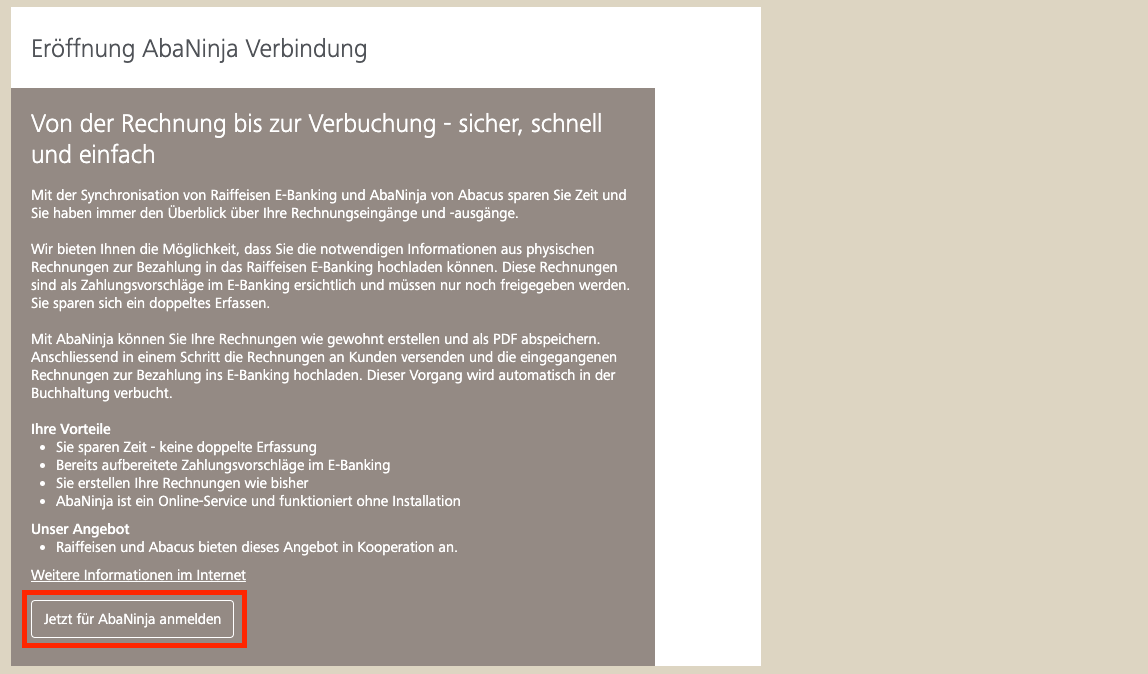
Press the "Sign up for AbaNinja now" button
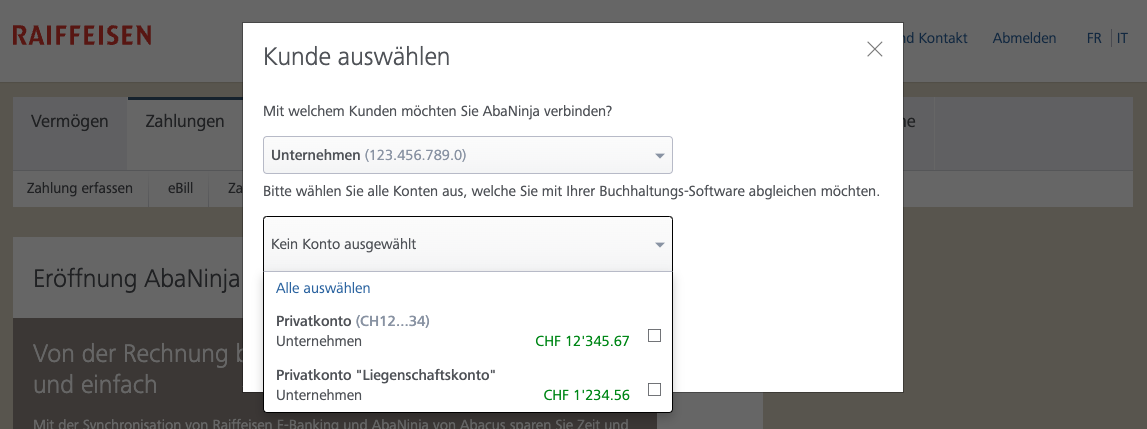
Select one or more bank accounts that you want to connect
You will be automatically redirected to AbaNinja
Log in to AbaNinja
Dieser SchritThis step is only necessary if you are not already logged inYour bank account connection with Raiffeisen will be fully set up
Disconnect connection
Log in to your Raiffeisen E-Banking
Select the "Profile Firstname Lastname" tab
Navigate to the "Settings" point
Select the "AbaNinja" point in the "Adjust E-Banking" section
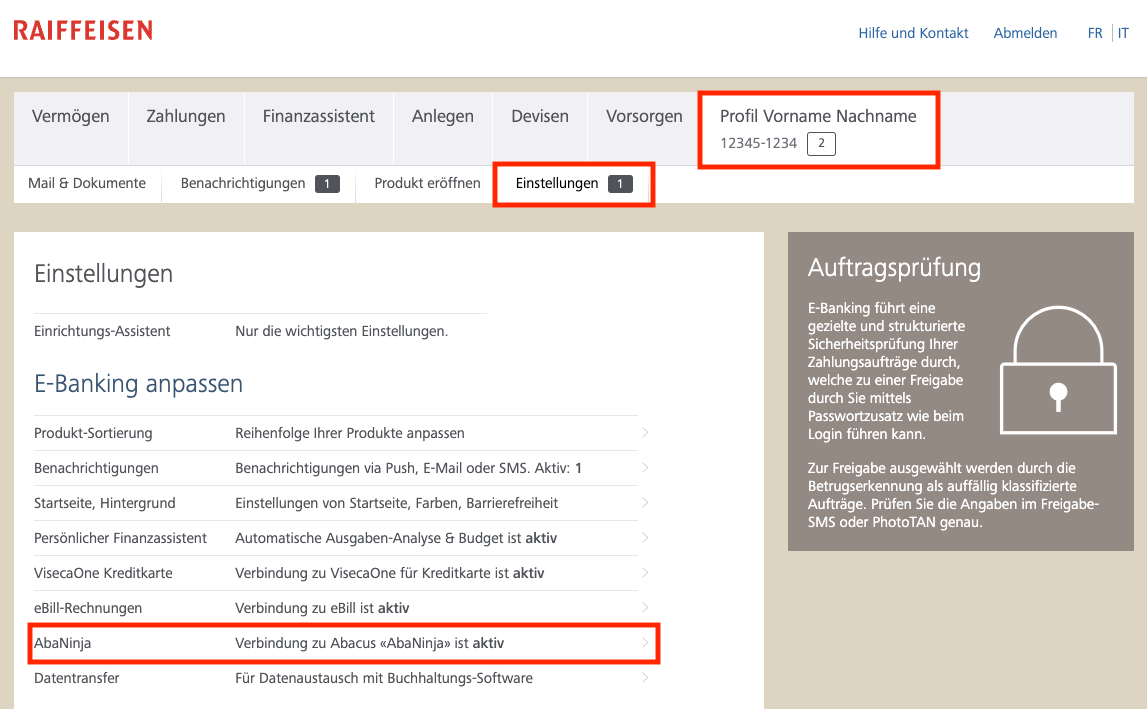
Deactivate all active accounts.
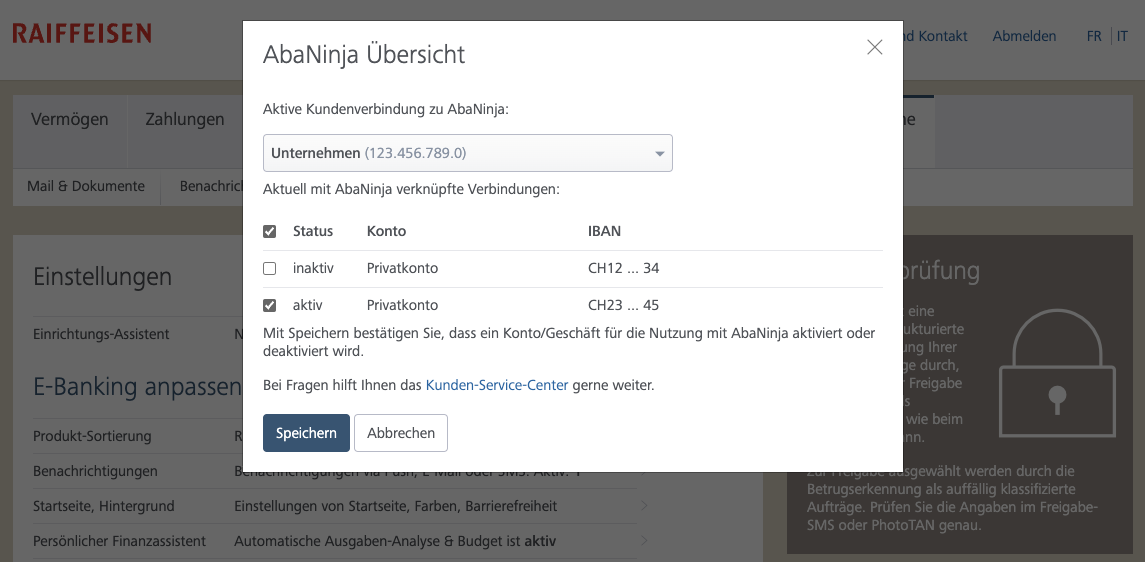
Confirm the deactivation by pressing the "Save" button.
known problems
After matching, the bank connection is immediately disconnected again
Please contact the Raiffeisen bank support to open a QR root for your bank account. After the QR root is added by the Raiffeisen bank, please completely disconnect the connection from Raiffeisen. You can then reconnect.
Note: The QR root must be opened for each bank account that you want to connect with AbaNinja.Under "Open Product", the entry for AbaNinja is not visible
Switch to the "Settings" page. AbaNinja is listed in the "Adjust E-Banking" section.