

How can I activate the automatic updating in Abacus?
It is possible to define in Abacus whether the AbaNinja documents from the AbaScan Inbox should be processed automatically or not.
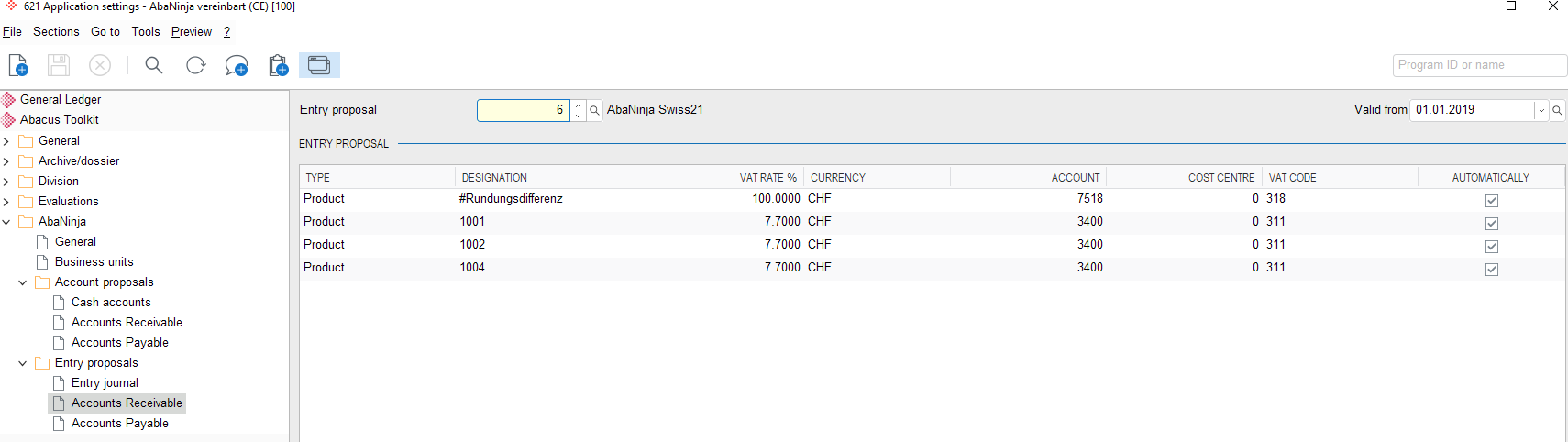
These settings can already be made when creating the account proposal and can be changed later at any time in the program F621 Application Settings.
Requirements
Automatic processing in Abacus always requires a unique assignment criterion:
- Debtors/Customers: Product number (accounting account for imported invoices).
- Creditors/Suppliers: Accounting account
Processing and modification
For a product/account, one update proposal can also be entered for each VAT rate.
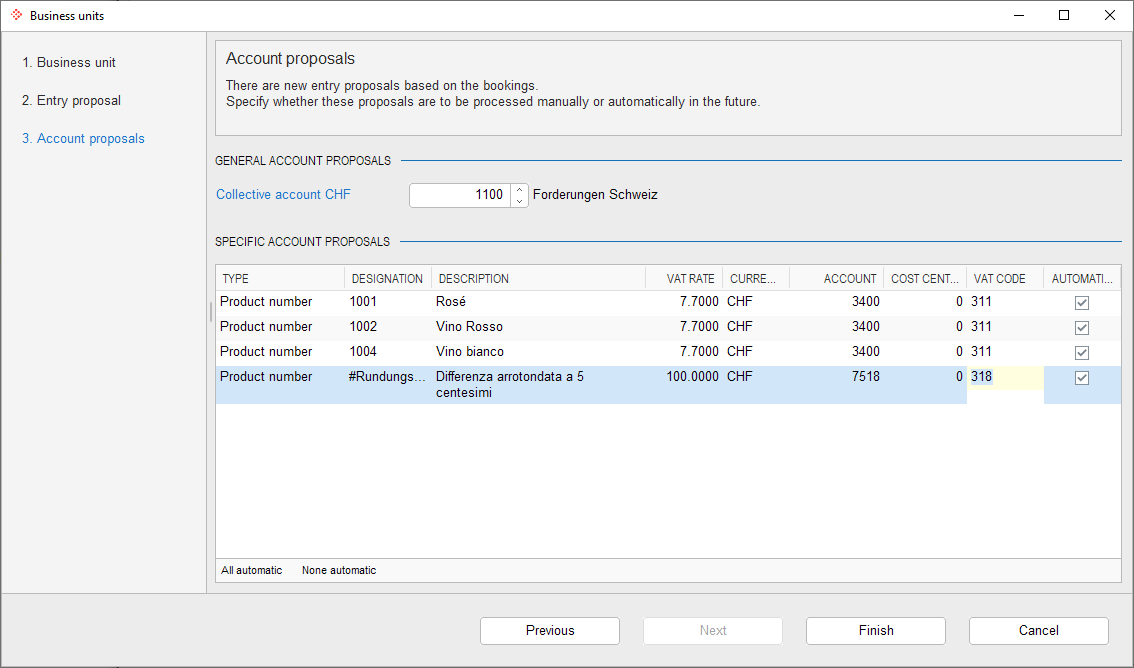 For a product/account, one update proposal can also be entered for each VAT rate.
For each account suggestion, it can be decided whether the processing of the next document with this product/account should take place automatically or not. If the "Automatic" flag is not activated, the next document with this product/account must be processed manually from the AbaScan Inbox.
These account suggestions can be changed at any time in F621 Application Settings.
Note
One-off/manual items must always be posted manually, as no unique allocation criterion is possible.