Manual bookings capture
In the "Accounting - Journal" section of AbaNinja, you can record manual entries that are not automatically generated by documents such as invoices, payments, or credits. This is especially necessary when special business transactions (e.g. corrections, transfers, depreciations, or one-time entries) need to be recorded that are not covered by standard processes.
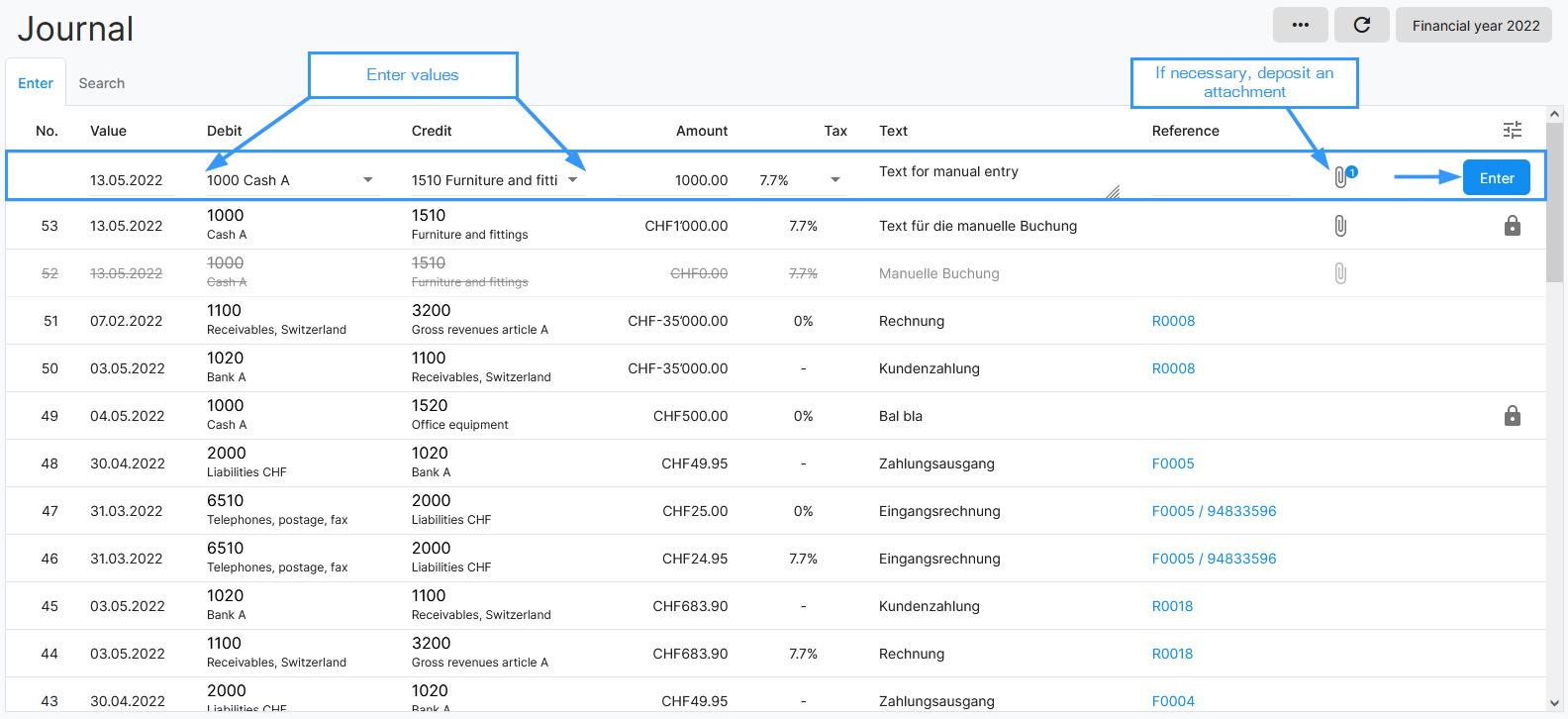
Manual entries are made directly in the journal. Here you enter the date of valuation, the debit and credit account, the amount, an optional tax rate, and a booking text. Optionally, you can add an attachment (e.g. receipt, invoice). As long as an entry has not been completed, it can be edited or deleted. After completion, it can only be reversed. Upon reversal, an offsetting entry is automatically created to ensure the accuracy of the accounting.
Benefits
- You can record individual business transactions or corrections flexibly and specifically.
- The function is ideal for transactions that are not covered by automated processes (e.g. invoicing, payment receipt).
- Split bookings (distribution of an amount to multiple counter accounts) and foreign currency bookings are also possible.
- Uncertain cases can be temporarily booked to a transfer account (e.g. 1090-1099) and later correctly assigned.
Tips and hints
- Check before manual entry whether the business transaction is not already covered by an automatic process to avoid double bookings.
- Use the search and filter function in the journal to quickly find existing bookings.
- Split bookings can be recorded directly in the booking dialogue via the "Multiple... Split" selection and thus distribute amounts to different accounts.
- In cases of uncertainty regarding the posting, temporary booking to a transfer account is recommended. These bookings can be moved later.
- Manual bookings are only transmitted to a connected Abacus financial accounting when you complete the booking or close the financial year.
- Make sure the financial year is open for bookings. If the year is closed, no further bookings are possible.
- For foreign currency bookings, the current exchange rate is automatically suggested, but can be adjusted if necessary.
- Each manual booking can be documented with an attachment (e.g. PDF of the receipt), which increases traceability.
- Use favorites in the chart of accounts to quickly select frequently used accounts.
- In the journal, you can also search for and display already completed or cancelled bookings.
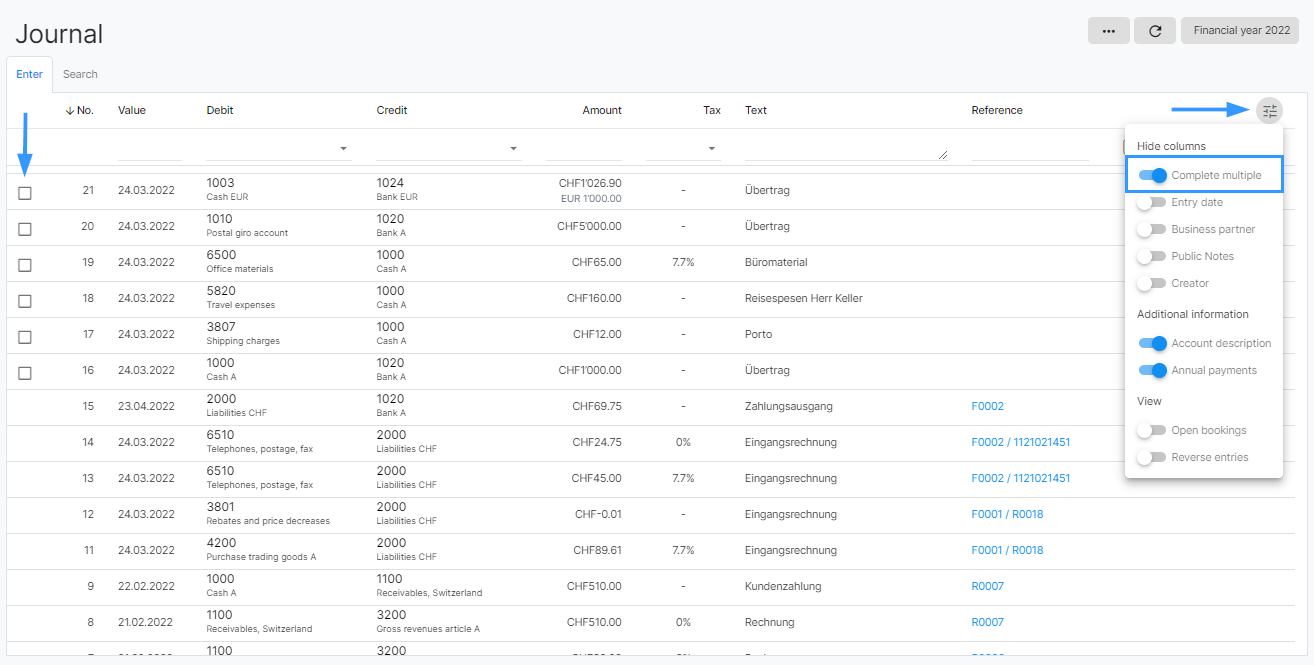
- For the simultaneous completion of several bookings, a checkbox for selection can be activated via the filter symbol in the upper right corner (Complete several).